
Laptop Gets Excessively Hot
The laptop becomes unusually hot during normal use or heats up much faster than expected.
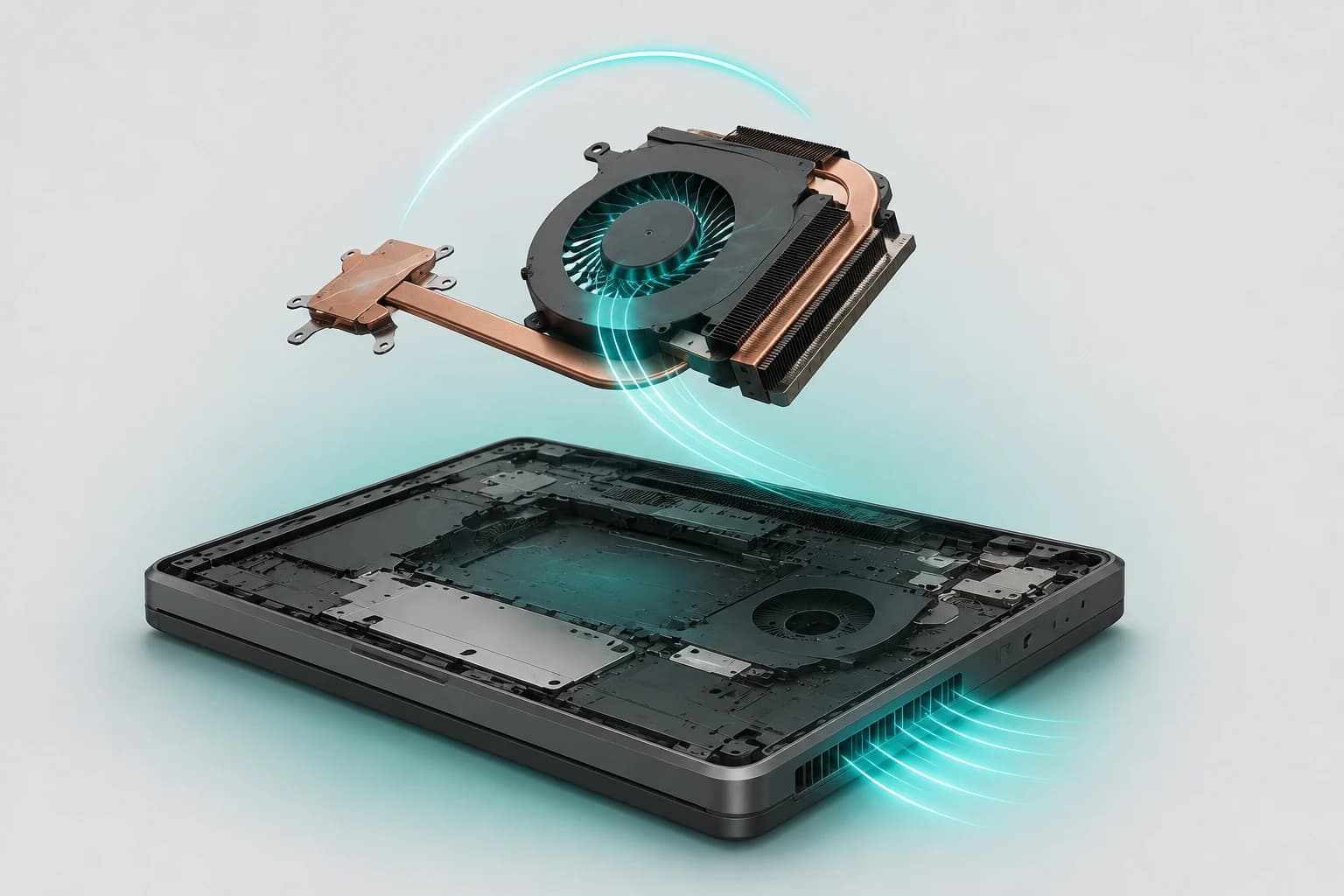
Dubai Laptop Overheating Service
Laptop getting unusually hot, slowing down, fan running constantly or shutting down during use? LaptopSouq diagnoses cooling-system faults and provides professional laptop overheating repair in Dubai for supported models.
Overheating Diagnostics
These are the most common signs of laptop overheating. LaptopSouq checks the cooling system before confirming repair.
The laptop becomes unusually hot during normal use or heats up much faster than expected.
Cooling fans run continuously, become unusually loud or repeatedly increase to high speed during relatively light use.
The laptop becomes noticeably slower after heating up as the system reduces performance to manage temperature.
The laptop suddenly powers off or restarts after becoming hot, especially during demanding workloads.
Little or no warm air is felt from the cooling vents even while the laptop is heating up.
Temperatures rise unusually quickly during browsing, office work, video calls or other relatively light tasks.
Laptops naturally become warmer and increase fan speed during demanding workloads, so heat alone does not always mean there is a fault. Persistent excessive temperature, weak airflow, unusual fan behaviour, repeated performance throttling or heat-related shutdowns can indicate a cooling-system problem.
LaptopSouq checks temperature behaviour, workload and relevant system settings first, then inspects airflow, the cooling fans, heatsink, heat-pipe assembly and the laptop's thermal interface before recommending the required service.
Our Process
From thermal diagnosis to temperature and load testing, each step is handled carefully before the laptop is returned.
The reported overheating behaviour is reproduced and temperature, fan activity and system behaviour are checked under appropriate operating conditions.
Fans, vents, heatsink airflow, internal dust buildup and relevant cooling components are inspected to identify the source of the problem.
Cleaning, thermal-interface servicing, fan repair/replacement or cooling-hardware repair is carried out according to the diagnosed fault.
Cooling performance, airflow, fan operation and temperature behaviour are checked again under appropriate load after service.
The laptop is returned after final testing with a 90-day warranty on service/workmanship and replacement parts.
Service Options
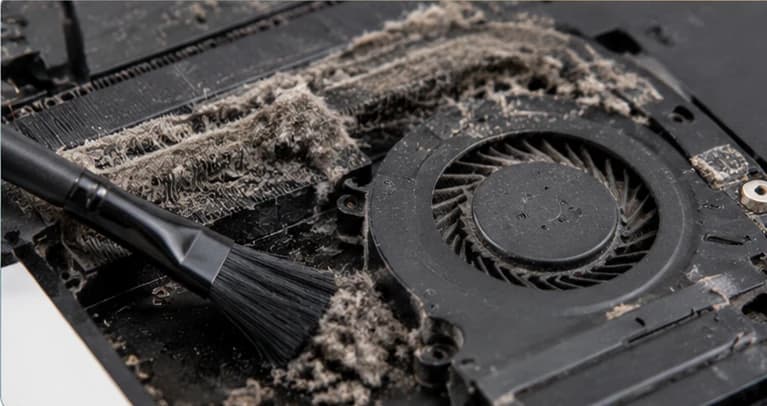
Dust buildup, restricted airflow and clogged fan/heatsink areas.
Starting from AED 149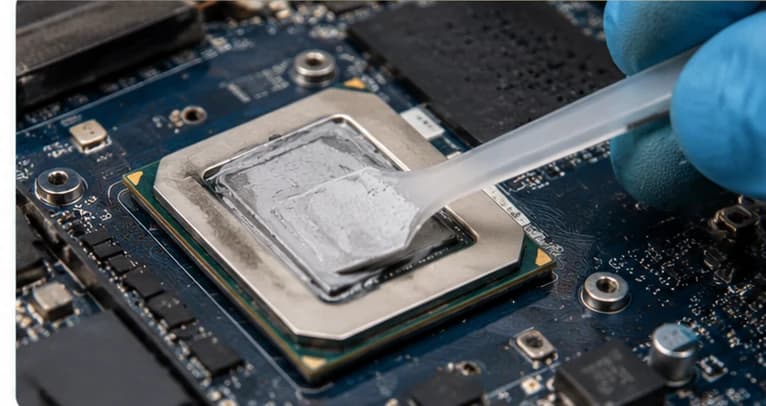
CPU/GPU thermal-interface servicing where diagnosis shows it is required.
Starting from AED 149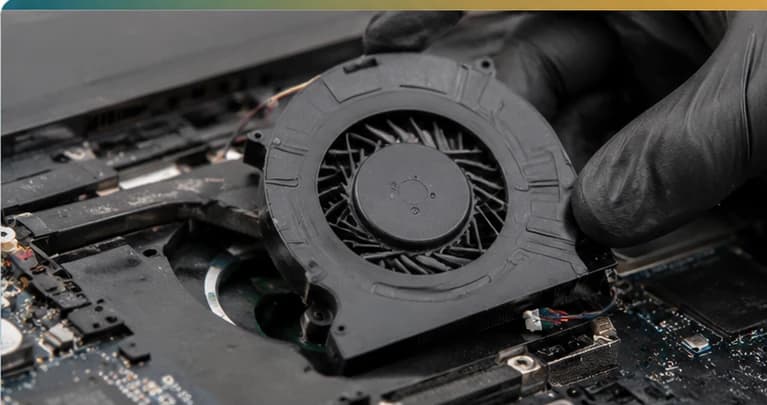
Noisy, weak, intermittent or failed cooling fans.
Starting from AED 149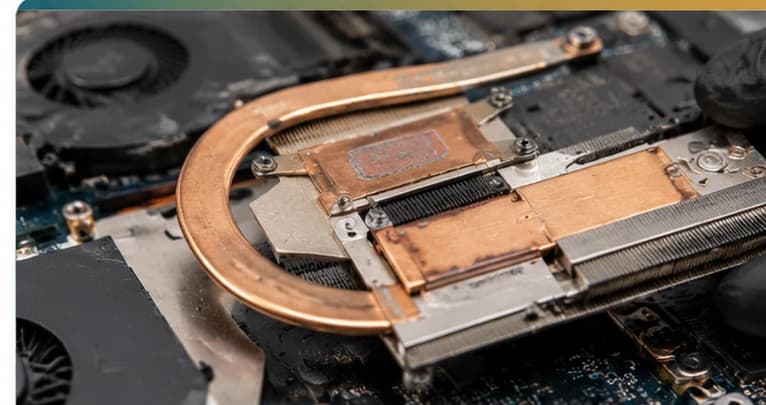
Heatsink, heat-pipe or model-specific cooling-assembly faults.
Starting from AED 149Cooling system checked before repair
We verify the laptop model, cooling configuration and thermal condition before recommending the required service.
Fault Coverage
Overheating repair and cooling system service for major laptop brands and popular model series across Dubai.










Model Coverage
Inspiron, Latitude, XPS, Vostro, Precision, Alienware
Pavilion, ProBook, EliteBook, Envy, Spectre, ZBook, Omen
ThinkPad, ThinkBook, IdeaPad, Yoga, Flex, Legion
VivoBook, ZenBook, TUF, ROG
Aspire, Swift, Nitro, Predator
MacBook Air, MacBook Pro
Gaming and Creator series
Supported Surface Laptop models
Cooling-system design varies by laptop model and generation, including fan count, heatsink layout, heat-pipe configuration and thermal-interface design. The required service is confirmed after inspection.
Dubai Coverage
LaptopSouq provides laptop overheating diagnosis and cooling-system repair across Dubai, with pickup and delivery available in supported areas.
LaptopSouq provides doorstep laptop repair support across Dubai's residential, commercial and business communities. Share your area and laptop issue with our team to confirm pickup availability and arrange a convenient collection time.
Pricing
Transparent starting prices with the final cost confirmed after diagnosis, model verification and cooling-system inspection.
| Service Type | Best For | Price | Warranty |
|---|---|---|---|
| Internal Cooling & Dust Cleaning | Dust / restricted airflow | Starting from AED 149 | 90 Days |
| Thermal Interface Service | Thermal-interface servicing | Starting from AED 149 | 90 Days |
| Cooling Fan Repair & Replacement | Fan noise / weak or failed fan | Starting from AED 149 | 90 Days |
| Heatsink & Cooling Assembly Service | Heat-pipe / heatsink / assembly fault | Starting from AED 149 | 90 Days |
Final price confirmed before work
Final pricing depends on the laptop model, cooling-system condition, diagnosed overheating cause, required service and whether any cooling component requires replacement. A fixed quote is confirmed after diagnosis.
Why LaptopSouq
Diagnosis-first approach, repair before replacement and 90-day warranty on service and parts.
Temperature behaviour and cooling-system condition are checked before repair is recommended.
Cleaning and other repairable cooling faults are addressed before replacement components are recommended.
Replacement fans or cooling assemblies are checked against the laptop model and cooling configuration.
Cooling performance, airflow, fan operation and temperature behaviour are checked after service.
The final repair cost is confirmed before paid work begins.
Service/workmanship and replacement parts are covered by our 90-day warranty.
FAQs
Laptop overheating can be caused by restricted airflow, dust buildup, abnormal fan operation, cooling-hardware problems or a thermal-interface issue. High workload can also raise temperatures normally. LaptopSouq checks the operating behaviour and cooling system before recommending repair.
Yes. Dust can restrict airflow through vents, fans and heatsink areas, reducing the cooling system's ability to remove heat. The amount and location of buildup are checked during inspection.
A degraded or poorly performing thermal interface can contribute to excessive temperatures on some laptops. However, thermal paste should not be treated as the cause of every overheating problem. The cooling system is diagnosed first.
A fan may run faster because the laptop is under load or because the cooling system is struggling to control temperature. Dust, restricted airflow, fan wear or another thermal issue can contribute to persistent high fan speed.
Thermal throttling is a protective response where the system reduces processor or graphics performance when temperature becomes too high. Users may notice lower speed or performance after the laptop heats up.
Heat-related shutdowns can occur when the system reaches a protective temperature limit. The cooling system, airflow and temperature behaviour should be checked rather than repeatedly restarting the laptop without diagnosis.
No. A loud fan may be reacting to high temperature, airflow restriction or dust rather than being physically failed. Fan replacement is recommended only when the fan itself is diagnosed as faulty or unable to operate normally.
Gaming laptops can operate warmer and run their fans faster during demanding workloads because the CPU and GPU are using more power. A cooling problem is more likely when high temperatures are accompanied by repeated performance loss, unexpected shutdowns, weak airflow, abnormal fan behaviour or excessive heat during relatively light use.
Yes, supported gaming laptop models can be diagnosed for overheating and cooling-system faults. The required service depends on the fan layout, heatsink and heat-pipe design, thermal configuration and the diagnosed problem.
Persistent excessive heat can place additional stress on internal components and may contribute to instability. The goal of overheating repair is to identify and correct the cooling problem before continued heat-related behaviour causes further issues.
Cooling-system repair normally focuses on physical cooling hardware and does not require changes to personal files. Customers should still maintain a current backup of important data before any hardware service.
Turnaround depends on the laptop model, diagnosed cause, required cooling service and whether replacement parts are needed. The expected time is confirmed after inspection rather than promised universally.
LaptopSouq provides a 90-day warranty on service/workmanship and replacement parts used for the covered overheating repair.
The final cost depends on the laptop model, cooling-system condition and whether the service requires cleaning, thermal-interface work, fan repair/replacement or a heatsink/cooling assembly. A fixed quote is provided after diagnosis.
Book Online
Tell us your laptop brand/model and what happens when it heats up — for example loud fan, weak airflow, performance drop, restart/shutdown, overheating during light use or another cooling symptom. LaptopSouq will confirm the inspection process, likely service requirements and expected turnaround after diagnosis.